Hotkeys
Please read the Material Usage Rules on this site.
🔗 Original page — Source of this material
Description.
You can assign keyboard shortcuts in the program settings to make working with it easier.
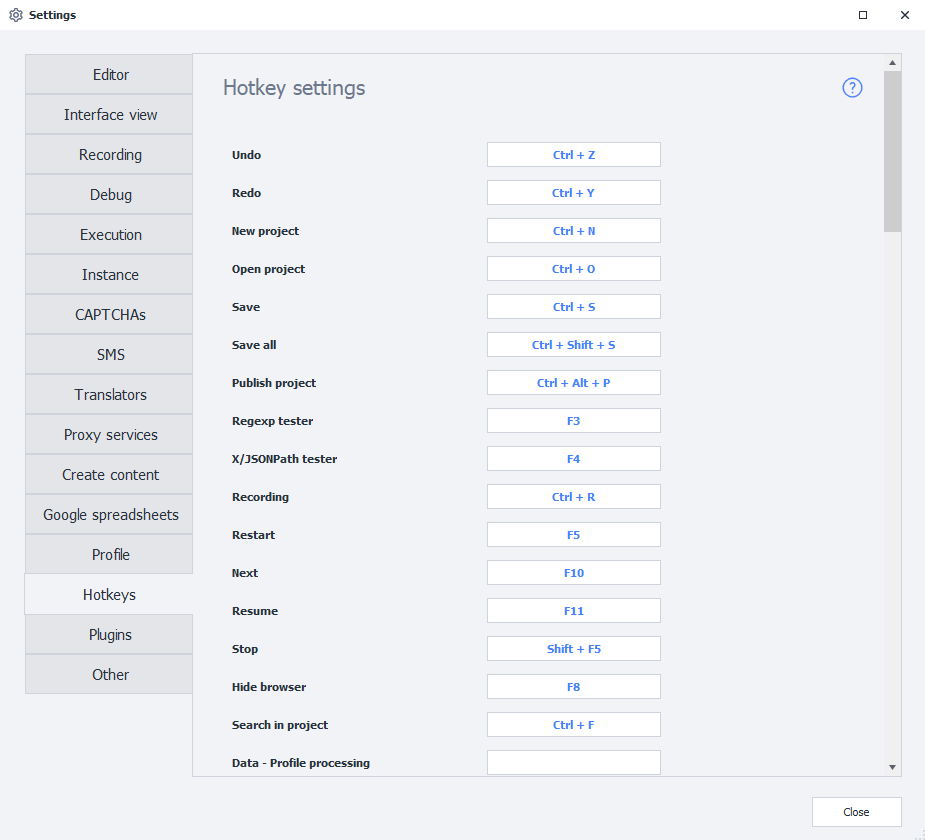
Keyboard shortcuts.
| Keys | Function |
|---|---|
LMB on an action + Enter/Space | Opens the settings for this action in a floating window |
Esc | Closes the action settings |
Clrl + C | Copies the selected action |
Ctrl + X | Cuts the selected action |
Ctrl + V | Pastes an action from the clipboard where the cursor is |
Ctrl + Z | Undoes the last action |
Ctrl + Y | Redoes the last action |
Ctrl + N | Creates a new project |
Ctrl + O | Opens an existing project |
Ctrl + S | Saves the current project |
Ctrl + F | Searches the project |
Ctrl + Shift + S | Saves the current project |
Ctrl + Alt + P | Publishes the current project |
Delete | Deletes the selected action |
Up ᐃ | Moves the cursor up through the group or to the previous action |
Down ᐁ | Moves the cursor down through the group or to the next action coming from a successful exit |
Left ᐊ | Moves the cursor to the first incoming action or up through the group |
Right ᐅ | Moves the cursor to the next action coming from a successful exit or down through the group |
Ctrl + Right ᐅ | Moves the cursor to the next action coming from an unsuccessful exit |
PageUp | Moves to the first action in the group |
PageDown | Moves to the last action in the group |
F3 | Opens the regular expression constructor |
F4 | Opens the X/JSON Path tester |
F8 | Hides the browser |
Mouse operations.
| Combinations | Function |
|---|---|
Double-click LMB on an action | Opens its settings |
Hold down the mouse wheel + Move the mouse | Moves around the project canvas |
Clrl + Scroll the mouse wheel | Zooms the canvas in/out |
Double-click LMB on an empty area of the canvas | Resets the zoom to 100% |
Double-click LMB on any output + Double-click LMB on another action's input | Creates a connection between them |
Hotkeys for debugging a project.
| Keys | Function |
|---|---|
Clrl + R | Enables/disables project recording |
F5 | Runs the project from the beginning |
F10 | Moves to the next action |
F11 | Runs the project until the first breakpoint |
Shift + F5 | Stops execution |
Hotkeys for editing a C# macro.
| Keys | Function |
|---|---|
Clrl + C | Copies the selection |
Ctrl + X | Cuts the selection |
Ctrl + V | Pastes the selection |
Ctrl + G | Goes to line number n |
Shift + Delete | Cuts the current line |
Ctrl + K | Comments out the selected lines |
Ctrl + U | Uncomments the selected lines |