Installing BusyBox
Please read the Material Usage Rules on this site.
Description.
BusyBox is a collection of UNIX command line utilities. It's used for:
- Saving and restoring app data
- Setting up a proxy in Clash mode (BusyBox version 1.36.1 or newer required)
To install the module, you'll need a smartphone with Magisk.
Installing from the actions menu (ZennoDroid 2.6.2+).
BusyBox comes with ZennoDroid, so there is no need to download it.
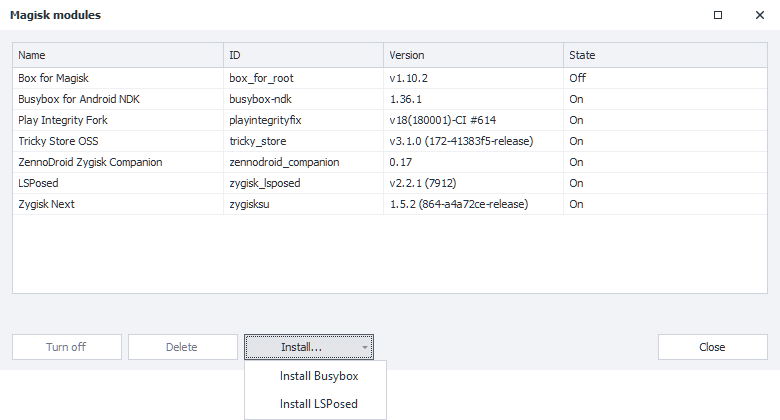
- In the device window's actions menu, choose Magisk / LSPosed → Modules...: the Magisk modules window opens.
- Click Install... → Install Busybox.
- When Module installed appears at the bottom of the window, reboot the device, for example with the Device → Reboot menu item.
The Magisk / LSPosed menu and the Magisk modules window.

Automatic installation (ZennoDroid 2.4.2+).
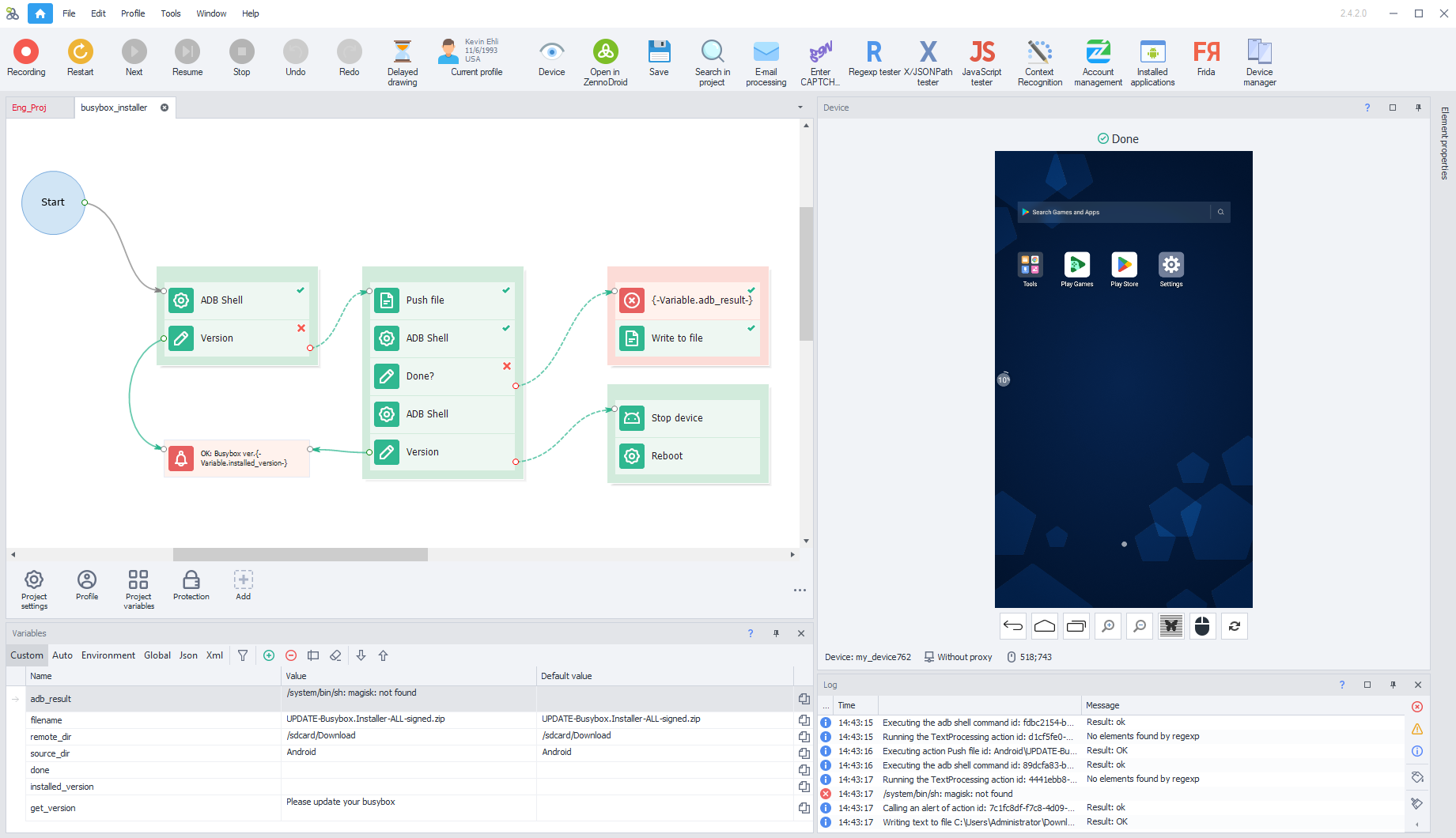
We've prepared a template for installing Busybox 1.36.1 to make it easier for you to install BusyBox on a large number of devices. It checks your current version, and if it's lower than 1.36.1, it'll automatically install the current module for Magisk.
After installation, your phone will automatically reboot.
After that, connect to the device again and run the template. The log message OK: Busybox ver. 1.36.1 means BusyBox is installed and working correctly.
The log message.
Manual installation.
Download the Busybox for Android NDK 1.36.1 module to your phone's sdcard/Download/ folder and install it using the standard menu:
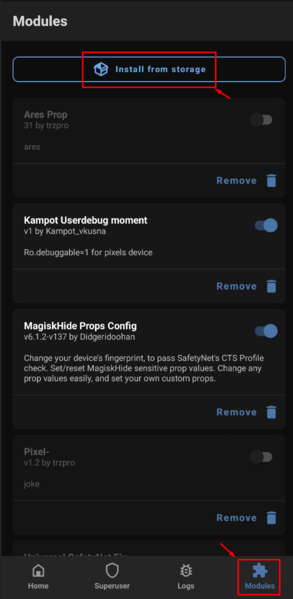
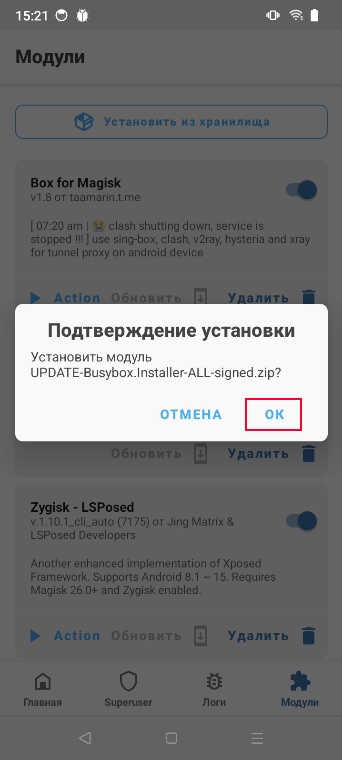
- Open Magisk → Modules → Install from storage.
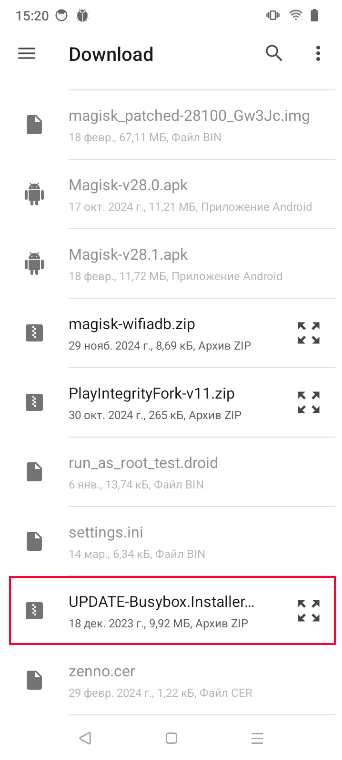
- Find the installer among your downloaded files.
- Confirm the installation.
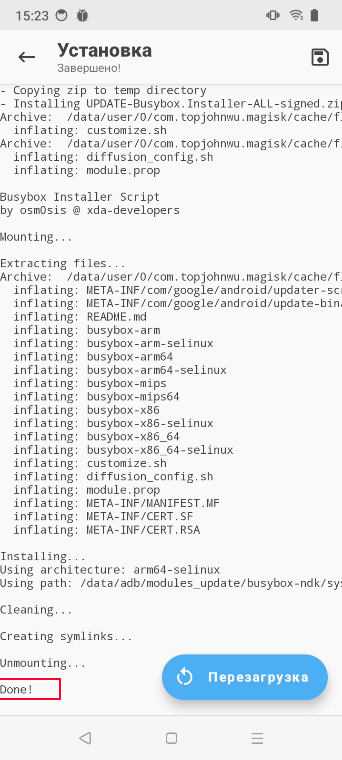
- If the installation is successful, you'll see
Done!in the log.
Installing the module in Magisk.
After installation, you need to reboot your device.