ZennoPoster Hotkeys
Please read the Material Usage Rules on this site.
🔗 Original page — Source of this material
Description
Here we'll cover the default keyboard shortcuts, which you can also change to any key combinations you like.
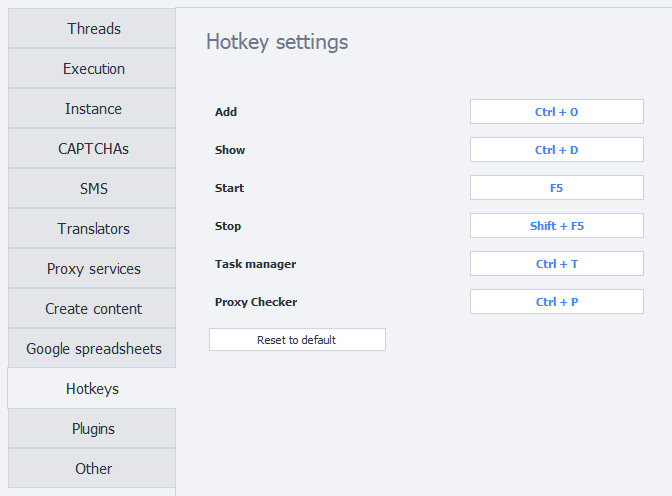
- Add —
Ctrl + O. Opens the window for adding a new project to the program. - Show —
Ctrl + D. Switches to the Instances tab for the selected project. - Start —
F5. Starts the selected project. - Stop —
Shift + F5. Stops the selected project. - Task Manager —
Ctrl + T. Opens the Task Manager window. - Proxy Checker —
Ctrl + P. Opens the Proxy Checker management window.
Reassigning keys.
To change a shortcut, simply click the field you want and press the desired key combination on your keyboard.
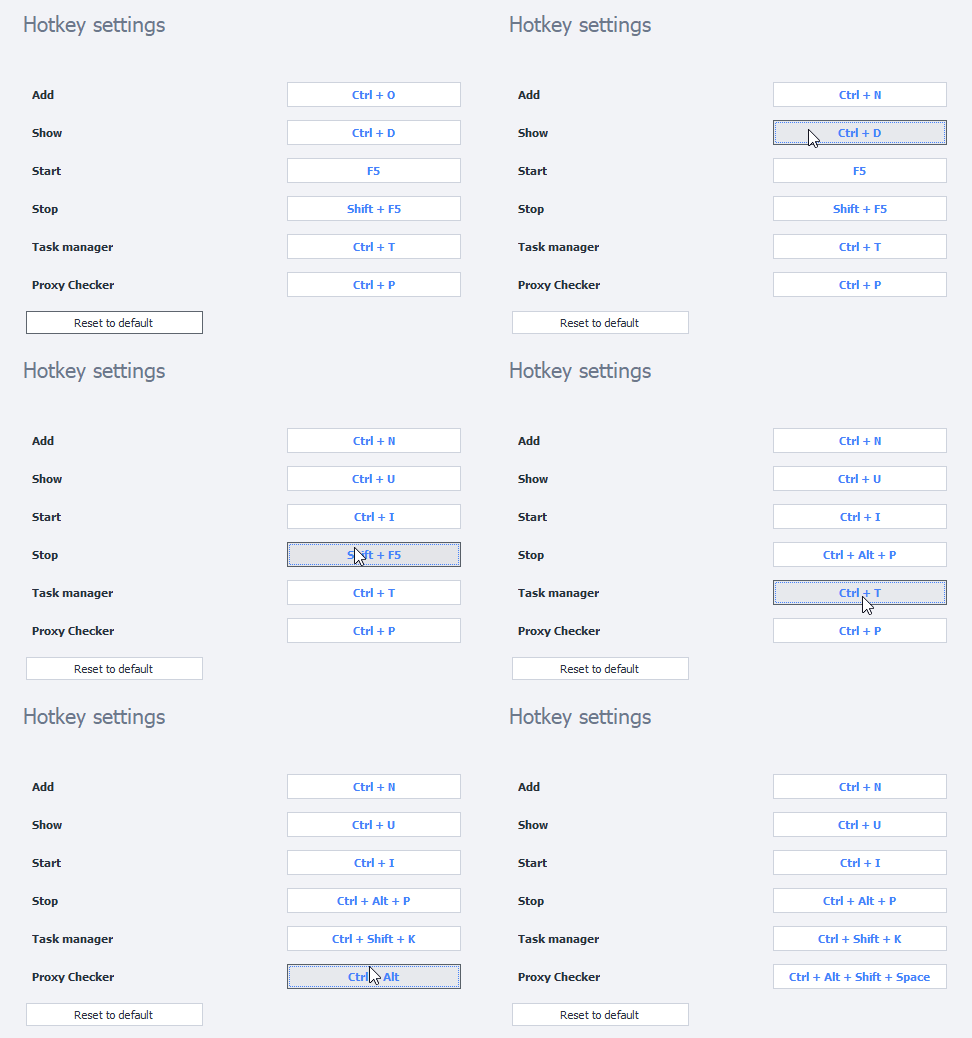
To restore the original shortcuts, simply click Restore defaults.